Welcome Suica Card in Tokyo: Complete 2025 Guide (Buy Before You Land)
Disclosure: This article contains affiliate links. If you buy through them, we may earn a small commission at no extra cost to you. It helps keep our community guides free.
You just booked your flight to Tokyo. Now you’re reading about IC cards: Suica, PASMO, Welcome Suica, digital wallets.
It’s confusing.
Many have tested every option—physical cards, Apple Wallet, Google Wallet, airport purchases, and online orders. Here’s what actually works in 2025.
- What Is Welcome Suica?
- Digital Suica: Apple Wallet vs Google Wallet vs Physical Card
- How to Buy Welcome Suica Online (Before You Land)
- How Much Money Should You Load?
- Where Can You Use Welcome Suica?
- How to Use Welcome Suica (First-Time Tips)
- What Happens After 28 Days?
- Edge Cases & Common Questions
- Real-World Test: typical First Day Using Welcome Suica
- After You Arrive: Come Play in Yoyogi
- Final Verdict: Which Suica Option Should You Choose?
What Is Welcome Suica?
Welcome Suica is a prepaid IC card designed for tourists visiting Japan.
You tap it on trains, buses, vending machines, convenience stores, and coin lockers. It works across Tokyo and most of Japan.
Welcome Suica vs Regular Suica vs PASMO
| Feature | Welcome Suica | Regular Suica | PASMO |
|---|---|---|---|
| Best for | Tourists (1–4 weeks) | Residents / long-term | Residents / long-term |
| Deposit | No deposit | ¥500 (refundable) | ¥500 (refundable) |
| Expiration | 28 days from first use | 10 years | 10 years |
| Where to buy | Online, airport | Stations, online | Stations, online |
| Refund | No refund | Refund balance + deposit | Refund balance + deposit |
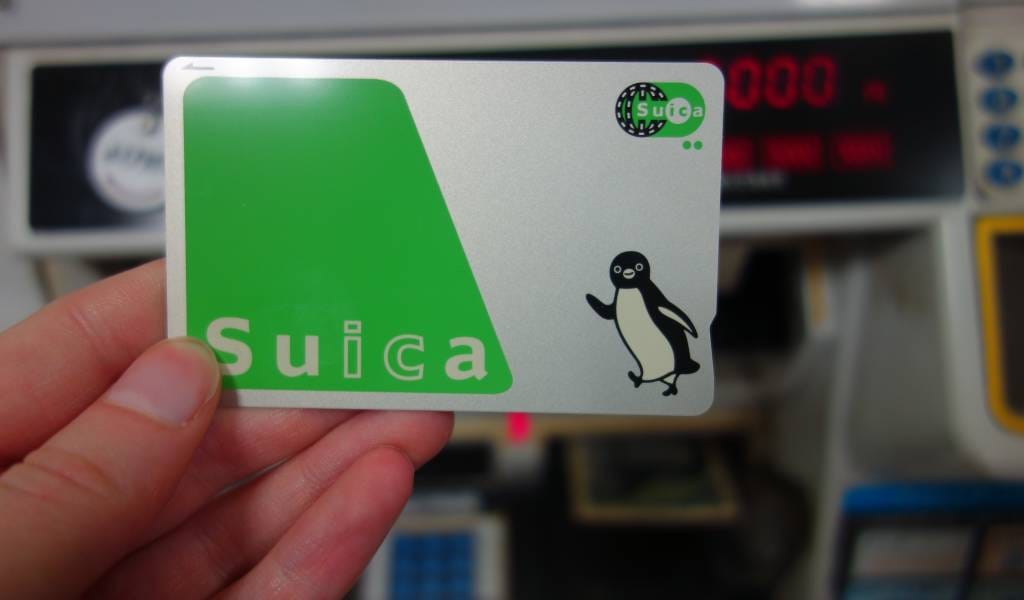
| Design | Mt. Fuji / Tokyo Tower | Penguin mascot | Robot mascot |
Simple rule: Staying less than 4 weeks → Welcome Suica. Staying longer or returning often → Regular Suica or PASMO.
Note: PASMO and Suica are interchangeable—they work on the same networks. Choose based on design preference or availability.
Digital Suica: Apple Wallet vs Google Wallet vs Physical Card
In 2025, you can add Suica directly to your phone.
Apple Wallet (iPhone / Apple Watch)
- Pros: No physical card needed, recharge instantly via Apple Pay, works even when phone battery is low (Express Mode)
- Cons: Requires iPhone XS or newer (with Japan region enabled), ¥1,000 minimum first purchase
- Setup: Wallet app → Add card → Suica → Purchase with credit card
Google Wallet (Android)
- Pros: Instant setup, recharge via Google Pay, works with most NFC-enabled Android phones
- Cons: Requires Android with FeliCa chip (most international models lack this), region restrictions
- Setup: Google Wallet app → Add pass → Suica → Purchase
Physical Welcome Suica Card
- Pros: Works on any phone, shareable, no battery anxiety, simple
- Cons: Can be lost, can’t recharge digitally, 28-day expiration
typical recommendation: If you have a compatible iPhone with Apple Wallet, use digital Suica. If not, buy a physical Welcome Suica card online before you fly.
How to Buy Welcome Suica Online (Before You Land)
Option 1: Klook (Recommended for Most Travelers)
- Go to Klook Welcome Suica page [AFFILIATE-LINK]
- Choose card value (¥1,500 / ¥2,000 / ¥3,000)
- Complete purchase (PayPal, credit card accepted)
- Receive QR code via email within 5 minutes
- At Narita or Haneda airport, show QR code at pickup counter
- Receive physical card, start using immediately
Cost: Card value + ¥200–300 service fee
Pickup locations: Narita T1/T2/T3, Haneda International Terminal
Booking via this link helps support Tokyo Playgrounds—community football and daily Tokyo guides. (Klook pricing November 2025)
Option 2: Airport Vending Machine (If You Forget)
- Find JR East ticket machines (follow “Train” signs)
- Select English (green button, top right)
- Choose “Purchase IC Card” → “Welcome Suica”
- Select amount (¥1,000 / ¥2,000 / ¥3,000)
- Insert cash or credit card
- Receive card
Downside: Lines can be 20–40 minutes during morning arrivals (8–11am). (JR East official data)
How Much Money Should You Load?
Estimated Usage (1 Week in Tokyo)
- Train rides: ¥200–400/day = ¥1,400–2,800/week
- Convenience stores: ¥300–500/day = ¥2,100–3,500/week
- Vending machines: ¥200/day = ¥1,400/week
Total for 1 week: ¥5,000–7,500
typical Recommendations
- 3–5 days: ¥2,000
- 1 week: ¥3,000
- 2 weeks: ¥5,000
You can reload at any station or convenience store (Family Mart, 7-Eleven, Lawson).
Where Can You Use Welcome Suica?
Transportation
- All JR trains (Yamanote, Chuo, Sobu lines)
- Tokyo Metro (all lines)
- Toei Subway
- Buses
- Tokyo Monorail (Haneda Airport)
Shopping & Services
- Convenience stores (7-Eleven, Family Mart, Lawson)
- Vending machines
- Coin lockers
- Many restaurants and cafes
- Station kiosks (NewDays, KIOSK)
Where It DOESN’T Work
- Shinkansen (bullet train)—requires separate ticket
- Airport express trains requiring seat reservations
- Some small shops in rural areas
How to Use Welcome Suica (First-Time Tips)
At Train Stations
- Find ticket gate
- Hold card over reader (blue circle with IC symbol)
- Gate opens automatically
- Walk through
- Repeat at destination station
Checking balance: Look at gate screen when you tap (shows remaining balance) or use any ticket machine → “Check Balance”
At Convenience Stores
- Grab items
- Go to register
- Say “Suica de” (スイカで) or hold up card
- Tap reader
- Done
What Happens After 28 Days?
The card stops working. Unlike regular Suica, you cannot refund the balance.
Tips to Use Remaining Balance
- Buy snacks at convenience stores before your flight
- Stock up on drinks at airport vending machines
- Purchase souvenirs at station shops
Travelers had ¥420 left on mine. Bought onigiri, coffee, and a bottle of tea at Family Mart before typical flight home.
Edge Cases & Common Questions
Can Travelers Share One Card with typical Travel Partner?
Technically yes, but inconvenient. Each person tapping through gates separately is easier. Buy one per person.
What If Travelers Lose It?
Unfortunately, Welcome Suica cannot be replaced or refunded. Keep it in a phone case, wallet, or card holder.
Can Travelers Use It Outside Tokyo?
Yes. Welcome Suica works nationwide on compatible IC card systems (Osaka, Kyoto, Fukuoka, Sapporo, etc.).
Does It Work with Apple Pay / Google Pay for Reloads?
No. Physical Welcome Suica is recharged with cash at stations or convenience stores. Welcome Suica Mobile / Suica in Apple/Google Wallet can be topped up digitally (supported devices/regions apply).
What If typical Phone Dies and Most are Using Digital Suica?
iPhone with Express Mode: Works even when battery is dead (reserved power for transit).
Android: Does not work when battery is dead.
Real-World Test: typical First Day Using Welcome Suica
Travelers landed at Narita at 9:15am.
- Picked up Welcome Suica at Klook counter: 2 minutes, no line
- Tapped onto Narita Express → Shibuya: ¥3,200 deducted automatically
- Walked to Yoyogi Park (15 minutes)
- Bought water at Family Mart with Suica tap: ¥110
- Took Yamanote Line to Harajuku: ¥150
- Bought lunch at convenience store: ¥680
No cash used. No tickets purchased. No thinking required. Just tap and go.
After You Arrive: Come Play in Yoyogi
Once you’ve got your Suica and you’re exploring Tokyo, you’ll probably visit Yoyogi Park.
If you see people kicking a ball around, that might be us. We play pickup football a few times a week—travelers, locals, anyone.
No skill needed. No pressure. Just grass, a ball, and people who say hi.
If you ever feel like playing—or just watching—DM “play” and we’ll let you know when we’re there.
You don’t need to join anything. Just know the option exists.
Final Verdict: Which Suica Option Should You Choose?
- iPhone user (XS or newer): Digital Suica via Apple Wallet
- Android user (FeliCa-enabled): Digital Suica via Google Wallet
- Everyone else: Physical Welcome Suica bought online before you fly
All three work perfectly. Choose based on your device and preference.
Get your Welcome Suica here: [AFFILIATE-LINK]
Booking via this link helps support Tokyo Playgrounds—community football sessions and daily Tokyo guides. Thank you.
Disclaimer: Prices, availability, and policies may change. Check official sources (JR East, Klook) before purchase.
Updated: 2025-11-06 (JST). Prices, availability, and device support change frequently. Check official sources before purchase.
コメント